How to Write Your First ChatGPT Message (And Actually Get Useful Answers)
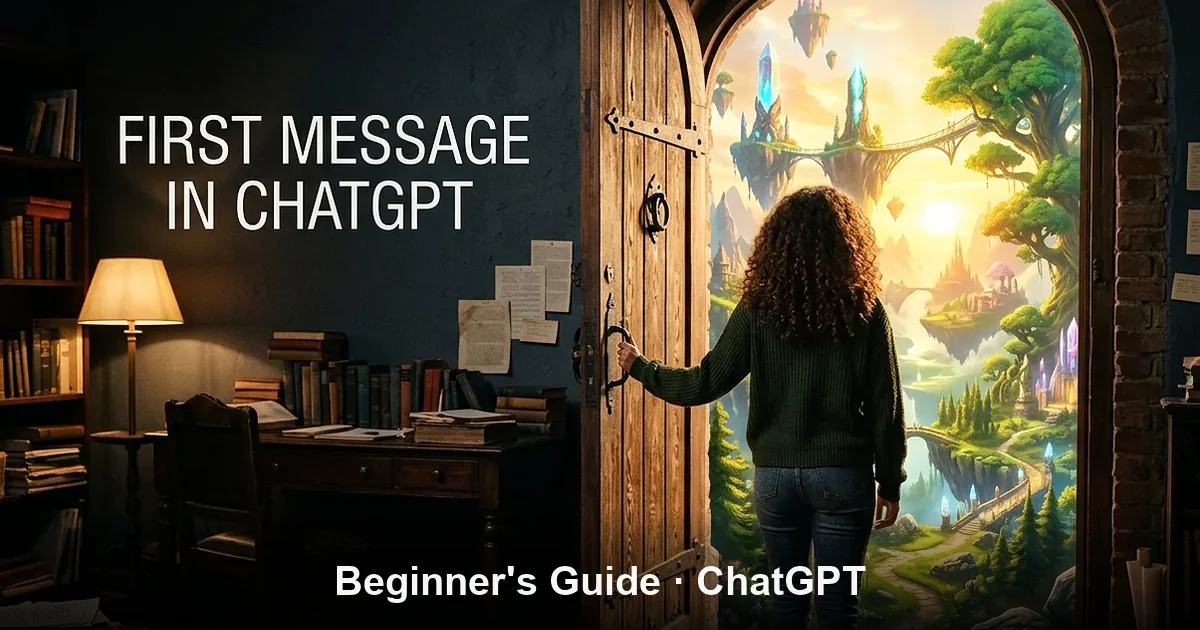
You have set up your account. You are staring at the blank input interface. The cursor is blinking steadily, and suddenly, you experience a mild wave of writer’s block. What are you actually supposed to type?
This psychological friction happens to almost every beginner. It feels slightly strange to treat a piece of software like a conversational partner. You might worry about phrasing your question incorrectly, formatting your text with bad grammar, or breaking an unspoken rule that results in a completely useless, automated error message.
The good news is that there are no mechanical ways to break the system. However, there is a massive operational divide between typing a vague query and structuring a message that unlocks high-value, tailored outputs. This guide breaks down the simple conversational framework that will guarantee success from your very first interaction.
In a Nutshell: Clarity Over Noise
ChatGPT is not a traditional search engine like Google; it does not require rigid keywords or special code syntax. It is a predictive linguistic engine that responds best to natural, conversational human language. The single golden rule for beginners is to shift from generic questions to context-rich instructions. By telling the model who you are, what data you have, and how you want your answer formatted, you instantly bypass robotic generic responses and unlock hyper-relevant, execution-ready results.
The Golden Rule: Stop Using Google Keywords
The biggest mistake beginners make is treating ChatGPT like a search engine. When you search for information on Google, you use compressed, disconnected keywords (e.g., “healthy dinner recipe fast”). If you pass that exact phrase to a large language model, it defaults to a surface-level, highly generic summary.
ChatGPT is designed to comprehend natural human syntax. You should communicate with the interface exactly as you would address an experienced, competent human colleague or a knowledgeable assistant. You can write in long, flowing sentences, use casual phrasing, and add contextual side-notes. The machine reads the entire block holistically to derive your true intent.
| The Query Style | The Standard Search Engine Way | The Optimal ChatGPT Way |
|---|---|---|
| Information Retrieval | “Inflation definition economics” | “Can you explain inflation to me? Use a simple analogy involving a grocery store so I can understand the practical impact on my daily budget.” |
| Professional Writing | “Landlord repair complaint letter template” | “I need to email my landlord about a broken hallway light that has been ignored for three weeks. Draft a polite but firm message urging immediate action due to safety concerns.” |
| Problem Solving | “Quick chicken dinner ideas” | “What should I make for dinner tonight? I only have chicken thighs, canned tomatoes, garlic, and pasta. I need a recipe I can finish in under 30 minutes.” |
The 3-Part Prompt Framework for Beginners
To consistently guarantee high-quality outputs without spending hours tweaking your phrases, you can memorize a simple, highly reliable structural blueprint. Whenever you want to construct an intentional message, try to inject these three components into your prompt:
- The Context (The Situation): Explain the baseline scenario. Who are you writing to? What are the constraints? Why do you need this information?
- The Core Task (The Goal): State explicitly what you want the machine to perform or generate. Do you want an outline, a full text, an explanation, or a list?
- The Output Format (The Style): Tell the machine exactly how the final answer should look. Should it be a bulleted summary, an analytical essay, a simple step-by-step tutorial, or a casual text message?
The Perfect Beginner Blueprint PromptCopy this structure and swap out the variables to get an instant feel for structural prompting.
[Context]: I am a non-technical small business owner trying to understand how to keep my customer data safe on my website. [Task]: Provide five foundational cybersecurity steps I should take this week. [Format]: List them in a clean, step-by-step format. Avoid complex tech terminology, and include a single-sentence explanation of why each step matters.
Embrace the Power of the Active Follow-Up
A common misunderstanding among first-time users is the assumption that the first message is your only opportunity to get the perfect response. If the AI delivers an answer that is slightly off-target, beginners frequently abandon the chat window completely out of disappointment.
ChatGPT is built on a continuous memory loop. It tracks, remembers, and cross-references everything that has been stated within a single active conversation thread. If an answer misses your expectations, you don’t need to rewrite your entire prompt from scratch. You simply speak to it as you would during a natural conversational iteration.
You can instantly shape the output by typing short, corrective commands directly into the interface:
- “That answer was far too dense. Summarize the core points into a quick, three-sentence paragraph.”
- “Can you rephrase that exact letter but make the tone sound less corporate and more casual?”
- “I don’t understand your third bullet point. Can you expand on how that specific step applies to an absolute beginner?”
Four Interactive Scenarios to Try Right Now
If you want to immediately break the ice and build your formatting confidence, navigate to your interface and test one of these four highly effective, practical initial prompts.
1. The Explainer Prompt
“Act as a patient educational teacher. Explain the concept of ‘global supply chains’ to someone with zero background in economics. Use concrete analogies instead of abstract industry definitions.”
2. The Proactive Assistant Draft
“I need to write a difficult message. I have to tell a local freelance designer that we are delaying our project launch by two months due to budget cuts. Draft a polite email that protects our positive relationship but clearly establishes that we have to halt work until next quarter.”
3. The Brainstorming Partner
“I am planning a weekend trip to Amsterdam with my parents who are in their late 60s. They love history and museums but cannot walk long distances. Generate a simple, relaxed, two-day itinerary that minimizes intense physical exertion.”
4. The Editorial Critique
“I am going to paste a rough paragraph from my resume summary block. Review it purely for tone. Tell me if it sounds too passive, and provide two alternative variations that make my accomplishments feel more impactful and action-oriented.”
Frequently Asked Questions
? Do I need to use polite phrases like ‘please’ and ‘thank you’ with ChatGPT?
No, politeness metrics do not alter the computational capability of the model. ChatGPT responds identically to raw instructions. However, many professionals choose to write politely simply because maintaining standard conversational habits makes it easier to draft natural, clear sentences.
? What should I do if the AI confidently outputs a fact that looks completely incorrect?
This is known as an AI hallucination. Large language models predict word sequences based on statistical patterns; they are not active search databases. If you notice an error, never argue with the machine. Simply edit your prompt to add stricter data limits or open a brand-new chat window to clear the context window.
? Can ChatGPT write long-form essays or full business proposals in a single message?
Yes, but the quality will be drastically higher if you break the process down. Instead of asking for a full proposal in your first message, ask the model to generate a structural outline first. Once you review and approve that outline, instruct it to expand on individual sections one by one.
In a Nutshell: Clarity Over Noise
The secret to mastering generative AI tools is recognizing that you are in total control of the narrative shape. Ditch the keyword-driven style of traditional search engines and embrace direct, goal-focused human conversation. Use the 3-part framework-Context, Task, and Format-to provide clear parameters. If the output falls short, iterate with quick follow-up instructions. Treat the interface like an dynamic assistant, and the technology will immediately become your most powerful productivity asset.